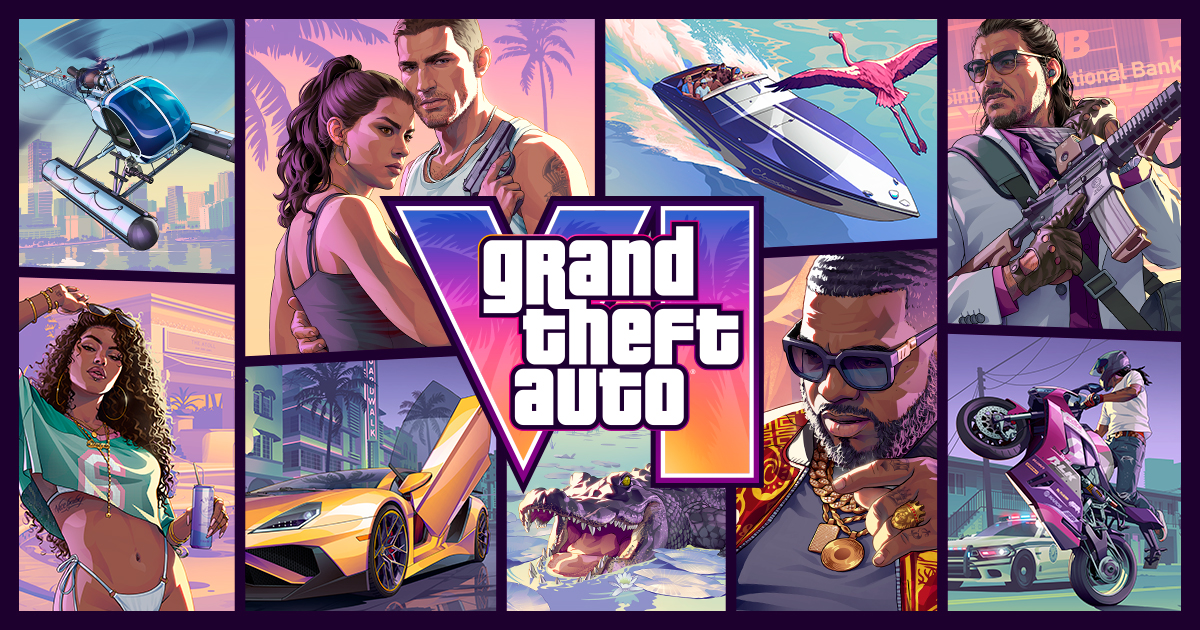

GTA 6 won’t start is going to be one of the most common launch-week searches, and in many cases the answer will be simple: the game is pre-loaded, but it has not unlocked yet.
Rockstar’s official GTA VI page lists Grand Theft Auto VI for November 19, 2026 on PlayStation 5 and Xbox Series X|S. The same page points players toward pre-order and pre-load information, which means a locked tile before launch can be normal.
Pre-loading downloads the files ahead of time. It does not let you play before the store unlock time, and it does not prove something is broken if the tile still looks locked.
Why does GTA 6 say it is locked before launch?
If it is before your store unlock time on November 19, a locked GTA 6 tile is normal and does not mean the download failed. Pre-load is about getting the files onto your console early, not opening the game early.
Think of the pre-load as a parked car with the keys held by the platform store until launch. The files can be on your PS5 or Xbox Series X|S, but the license check still has to say the game is live.
If your console shows a countdown timer, a lock icon, or a message that the game cannot be played yet, do not delete the install just because you see that warning. The correct first move is to confirm your GTA 6 unlock time and wait for the store to catch up.
This matters because the download is large. VGC reported Rockstar’s preload details as saying the file requires up to 212 GB, so deleting the game during launch traffic can turn a normal lock into a long redownload.
What should I check first if GTA 6 won’t start on launch day?
Check the unlock time, your internet connection, PSN/Xbox/Rockstar service status, and whether the latest update has finished. That order keeps you from wasting time on a full reinstall when the issue may be a lock, queue, update, or service check.
If GTA 6 won’t start right after launch, your console may still be waiting for a license refresh, a launch update, or a platform service response. The fastest GTA 6 won’t start fix is usually a calm checklist, not deleting the whole install.
| Check | What it tells you | What to do next |
|---|---|---|
| Unlock time | The game may not be live for your store yet | Wait until the listed unlock time passes |
| Internet connection | Your console may not be able to verify access | Reconnect and restart the console if needed |
| Service status | Platform or Rockstar services may be under strain | check the GTA 6 server status before troubleshooting |
| Updates | The launch build may need an additional download | Let the update finish before starting the game |
| Account | You may be signed into the wrong profile | Switch to the account that bought or redeemed GTA 6 |
Do not panic reinstall at the first error message. Launch-night status pages may be busy, and console stores can lag when a huge number of players try to start the same game at once.
If you see an error code, screenshot it before you change anything. That gives PlayStation, Xbox, Rockstar, or a retailer something specific to work from if you need help.
How do I fix GTA 6 download or pre-load problems on PS5?
On PS5, confirm you are signed into the buying account, check Downloads/Uploads, pause and resume the download, free storage, and restore licenses if the purchase looks locked. If GTA 6 won’t start because the console thinks you do not own it, this is the cleanest place to begin.
First, make sure you are using the PlayStation account that bought GTA 6 or redeemed the code. If another profile is open, the game may appear installed but still behave like it is locked.
Next, open Downloads/Uploads and confirm the preload or update has fully finished. If it is stuck, pause and resume the download instead of deleting the whole game.
Storage is the next likely problem. Because GTA 6 has been reported as requiring up to 212 GB, you need enough free space not only for the preload, but also for any launch update the console still needs to apply.
If the game appears in your library but still looks locked after the unlock time, use PlayStation’s license restore path. Sony’s own PlayStation download troubleshooting page tells users to restore licenses for account issues with downloaded games.
Rest Mode and auto-download can also create confusion. Your PS5 may have downloaded part of the content while asleep, but you still need to check that the full game and any update are complete before you try to launch.
If you bought digitally and cannot find the game tile, check your library download option on the buying account. If it still does not appear, treat that as a store or account issue rather than a Rockstar gameplay issue.
How do I fix GTA 6 download or pre-install problems on Xbox Series X|S?
On Xbox, confirm the correct Microsoft account, check My games & apps, update the console, restart fully, verify storage, and check Xbox service status. If GTA 6 won’t start on Xbox, the install queue and account ownership are your first suspects.
Start with the Microsoft account that bought GTA 6 or redeemed the code. If you are on a different account, the console may show files on the drive but fail the ownership check when you try to launch.
Open My games & apps and look for the GTA 6 install. If the game does not appear where it should, Microsoft says users should install updates and contact support if a pre-ordered game or app does not appear in My games & apps, according to Microsoft Store pre-order support.
Check the install queue before doing anything drastic. A paused update, a stuck pre-install, or another download ahead of GTA 6 can make the tile look ready when the game still is not fully prepared.
Then restart the console fully. A complete restart can refresh the store license check, clear a stuck queue state, and force the console to look for any pending system or game update.
Storage matters here too. If the drive is nearly full, the console may struggle to complete the install or apply an update, even if the main preload already appears on the system.
Pre-order billing problems can also block access. If the payment did not complete, or if the order is not tied to the account you are using, GTA 6 may ask you to buy it again even though you expected it to be ready.
What if GTA 6 says I do not own it or asks me to buy it again?
That usually points to the wrong account, a license sync issue, a failed pre-order payment, or a console-sharing/home-console problem. Do not buy GTA 6 twice until you have checked those items.
When GTA 6 won’t start and the store says you do not own it, separate the file on your drive from the license on your account. Having the download installed is not the same as proving ownership to PlayStation or Xbox.
On PS5, switch to the account that made the purchase or redeemed the code, then restore licenses if the game still appears locked. That is the platform-side fix for many downloaded game ownership errors.
On Xbox, check the Microsoft account tied to the purchase, the order history, and the payment status. If the transaction did not complete, the console may correctly treat the game as unowned.
Console sharing can make this more confusing. If another profile purchased GTA 6, your access may depend on the console-sharing or home-console setup rather than the files being present on the drive.
Physical buyers should also pay close attention to the code. Take-Two’s pre-order announcement said the physical version contains a download code and was available starting November 12, 2026 to support pre-loading, so a code issue is a retailer, platform, or redemption problem before it is a Rockstar service problem.
Should I delete and reinstall GTA 6?
Only reinstall after simpler checks fail, because the download is large and launch servers may be congested. If GTA 6 won’t start, deletion should be close to your last move, not your first.
Before reinstalling, confirm the unlock time, restart your console, check service status, finish updates, verify the buying account, restore licenses on PS5 if needed, and make sure storage is not blocking an update. Those steps solve the most likely launch-week problems without forcing you to redownload everything.
Reinstalling can make sense if the install is clearly corrupted, the platform tells you the download failed, or the game cannot repair itself after repeated attempts. But if the only sign is a lock icon before launch access opens, reinstalling will not make the game unlock earlier.
Take screenshots of error codes before deleting anything. If you later contact support, a clear code and a short list of what you already tried will get you further than saying the game is broken.
If you do reinstall, make sure you have enough storage first. A large preload plus a launch update can fail again if the console has no room to finish the job.
When should I contact Rockstar, PlayStation, Xbox or the retailer?
Contact the platform holder for store, download, license, code, and payment issues; contact Rockstar for GTA 6 gameplay or service issues once the game is live. The right support route depends on where the problem starts.
If GTA 6 won’t start after the unlock time and the PlayStation Store or Microsoft Store says you do not own it, that is a platform account or store issue. Rockstar cannot fix a missing platform license if the store has not granted access to your account.
If your download code does not redeem, contact the retailer or the platform support route connected to that code. Keep your receipt, code card, and account details ready.
If the download completes, the game unlocks, and you can reach GTA 6 but online services or gameplay features fail, then Rockstar is the better contact. That is when the issue has moved from purchase access to the game or service itself.
If you are not sure, separate the problem into one sentence: I cannot download it, I cannot prove I own it, it is still locked, or the game opens but the service fails. That sentence tells you where to start.
What this means for you on launch night
Most launch-week GTA 6 won’t start cases will not mean the game is broken. They will come from early access attempts, account confusion, unfinished downloads, storage problems, license checks, or platform service strain.
Your best move is calm triage. Check the unlock time first, then connection and status, then updates, then account ownership, then licenses, then storage, and only then consider reinstalling.
Use our GTA 6 preload guide if you are still setting up the install before launch. If the preload is already complete, your job is mostly to protect that install and avoid unnecessary redownloads.
GTA 6 won’t start FAQ
Why is GTA 6 locked after I pre-loaded it?
A locked tile is normal before the game unlocks in your region on November 19, 2026. Pre-loading downloads the files but does not grant early play access.
What should I do if GTA 6 still won’t start after the unlock time?
Restart your console, install any update, check PSN/Xbox/Rockstar status, confirm you are on the buying account, and restore licenses on PS5 if the game still appears locked.
Do I need to reinstall GTA 6 if it says locked?
Not usually. Reinstall only after checking unlock time, account ownership, licenses, updates, storage and service status, because the download is very large.
Who do I contact if my GTA 6 code or purchase is not working?
Contact PlayStation, Xbox or the retailer for store, code, download, billing and license problems; contact Rockstar for GTA 6 gameplay or online service problems after launch.
If GTA 6 won’t start on launch night, work through the checks in order and resist deleting the preload unless you have ruled out the easier fixes. Start with unlock timing, service status, account ownership, updates, and licenses before you touch the install.



1 comment